
Tiny Imps

Caption Imp Coming soon

Your captions, now karaoke

Pick a look and Caption Imp turns your Premiere captions into animated, editable text with the spoken word highlighted.
  • Windows 10 / 11
  • Mac coming soon
  • Premiere Pro 26 · tested on 26.5.2
  • English captions
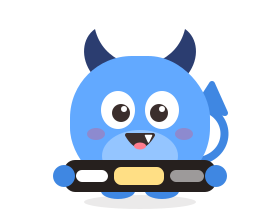
Caption Imp, a small blue imp holding a caption bar with one word lit up
makeeverywordcount makeeverywordcount yourfixesstayput Caption ImpLooks · Customize ClearMake karaoke C1V2V1 captioncaption

How it works

  1. Create captions in Premiere.
  2. Pick a look in the Caption Imp panel.
  3. Click Make karaoke. One clip per caption, timed to the words.

Caption Imp $7.99 a month

$4.99 your first month, then $7.99 a month. Or every imp in the Imp Pack: $9.99 the first month, then $14.99. 7-day free trial first.

See pricing

7-day free trial · No card needed · Refund within 14 days

What it does

Keeps your work

Line breaks, timing and corrected words stay as they are.

Editable text

Premiere text on the timeline, not burned-in video.

Looks

A box behind the spoken word, or one that glides to it. Pill words, neon glow, a typing cursor, pop, stacked lines, a key word that stands out. Wide 16:9 or vertical 9:16, picked for you.

Clean re-runs

Make karaoke again and its clips update in place, no doubles. Clear removes only its own clips, for the selection or all.

By hand, or with Caption Imp

By hand in Premiere

  1. Make one text clip per word, or keyframe each word's colour.
  2. Line every one up with the word as it is spoken.
  3. Style the spoken word and the box behind it, one by one.
  4. Start again when a word changes.

With Caption Imp

  1. Pick a look.
  2. Click Make karaoke.

Why Caption Imp

Requirements

Good to know